arrays are a datatype in C++ used to store multiple values in a single variable, instead of declaring separate vars for each value.
to declare, we define the variable type, give the name of the array, and then square brackets with specification of number of elements it should store.
int arr[4] = {1,2,3,4};you can also just mention the number of elements into another variable and use that variable instead, refer below:
int x = 5;
int arr[x] = {1,2,3,4,5};
you can also just leave the [ ] blank, and c++ will automatically understand (infer) the number of elements you give it and pollute the [].
int arr[] = {1,2,3,4}; // no need to mention size in [] you also don’t need the equals = sign, you can just write it as :
int arr[] {1,2,3,4} // introduced in c++ 11 as uniform initialization (brace initialization)as mentioned before that you can leave the [] blank, this is true as long as you provide elements for the array, if you do not wish to provide values to put in the array, it is MANDATORY for you to give the expected/tentative number of values you will put later, as c++ needs to know the size to allocate.
int arr[] = {1,2,3,4}; // allowed
int arr[] = {}; // not allowed
// instead:
int arr[4] = {}; // allowed
let’s try to print our array! what is expected here? we just peform a cout operation and it prints our array right? let’s try it out
let’s run the following program:
#include <iostream>
#include <string>

using namespace std;

int main() {
int arr[5] {1,2,3,4,5};
cout << arr;
}
but we get this as output:
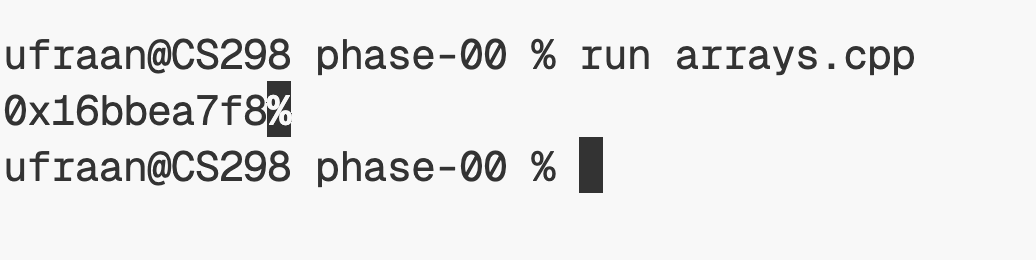
hmm, what is 0x16bbea7f8 ?
well this array, what this really is, is a location in our computer’s memory (RAM). whenever you run a program, your program is loaded into your computer’s memory.
so when you define an array, what you’re essentially saying is, you want somewhere in your computer’s memory, these elements to be stored.
so when you’re printing out arr like this, what you’re actually printing out is the memory location of this array. this is where in your computer’s memory is the array ‘arr’ actually stored.
so to access specific elements in our array, we can do it using indices. arr[0] gives us the first element of the array.
let’s try to print arr[0] instead:
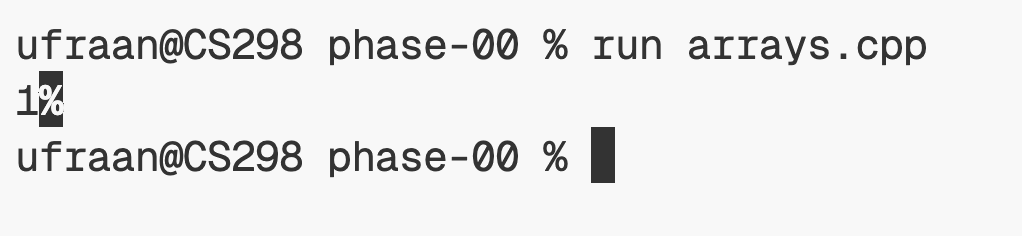
gives us the first element!
let’s try to change the first element.
int arr[5] = {1,2,3,4,5};
arr[0] = 10;
cout << arr[0];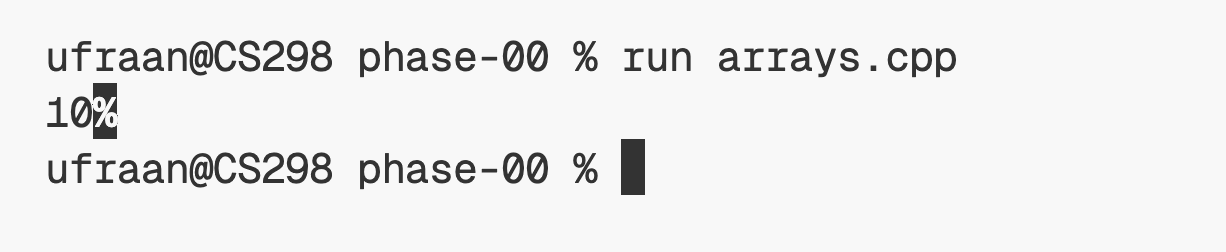 element updated!
default memory initisalistion
let’s see what if we just initialise an array with no values.
int arr[5];
cout << arr[0] << endl;
cout << arr[1] << endl;
cout << arr[2] << endl;
cout << arr[3] << endl;
cout << arr[4] << endl;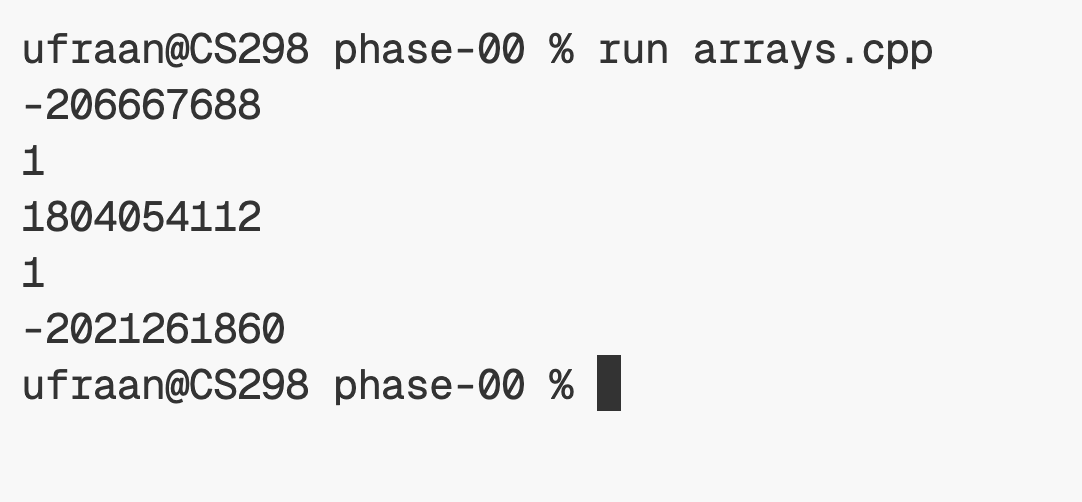
this is just what we get. gibberish. random. this is just random values assigned to the arrays by default. later when you assign the ACTUAL values, they will be updated.
assigning values:
int arr[5];
arr = {1,2,3,4,5}; // this WILL NOT WORK
arrays in C++ are not assignable. when you write the above code, you’re trying to assign a new value to the entire array after it has already been created. C++ does not allow array assignment.
so, you can only initialize an array when you declare it:
int arr[5] = {1, 2, 3, 4, 5};
// or
int arr[5]{1, 2, 3, 4, 5};
after that, if you want to change the values, you must assign each element individually:
arr[0] = 1;
arr[1] = 2;
arr[2] = 3;
arr[3] = 4;
arr[4] = 5;
OR use a loop:
int values[] = {1, 2, 3, 4, 5};

for (int i = 0; i < 5; ++i) {
    arr[i] = values[i];
}
if we want use the assignment = syntax, we can use the std::array
#include <array>

std::array<int, 5> arr;
arr = {1, 2, 3, 4, 5}; // works
std::array is a class, and it defines an assignment operator, unlike built-in arrays
we can also have other datatypes’ in an array
strings in an array:
string arr2[] {"hello", "world", "ufraan"}float in an array:
float arr3[] {2.0, -4.0, 22.209, 3.14}let’s see how we can get the size of an array. in many programming languages, you can simply use something like .length, .size, or a len() function.
in c++, built-in arrays do not have a member function that tells you their length. instead, we can calculate it ourselves using the sizeof operator.
the sizeof operator returns the size of an object in bytes. a byte is a unit of memory, so sizeof(arr) tells us how much memory the entire array occupies; not how many elements it contains.
if we also know the size of one element in the array, we can divide the total size by the size of a single element to get the number of elements.
int arr[] = {1, 2, 3, 4, 5};

cout << sizeof(arr) / sizeof(arr[0]);
here’s how it works:
-
sizeof(arr)returns the total size of the array in bytes. -
sizeof(arr[0])returns the size of a single element in the array.
for example, on most modern systems:
-
sizeof(arr)= 20 bytes -
sizeof(arr[0])= 4 bytes (because anintis typically 4 bytes)
so:
20 / 4 = 5this tells us that the array contains 5 elements.
note: this technique only works for actual arrays. if
arris a pointer (for example, after passing the array to a function),sizeof(arr)will return the size of the pointer instead of the size of the entire array.