cypher
what is a cypher? it is equivalent to that of what SQL is to mySQL. just a language we use to query our neo4j database. a query can look like this:
MATCH (m:Movie) // m is just an alias used for 'Movie' to query it as follows:
WHERE m.released > 2005
RETURN m
we can also limit the results to ‘n’ number of items
MATCH (m:Movie)
WHERE m.released > 2005
return m LIMIT 5 // this will limit the results to 5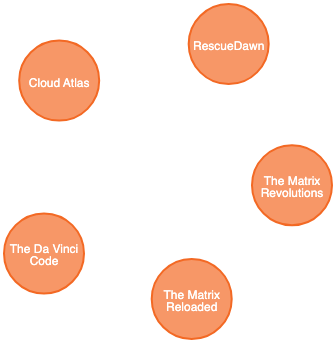
more examples:
cypher query to return all values released before the year 2005:
MATCH (m:Movie)
WHERE m.released < 2005
return m
cypher query to count total number of movies released before the year 2005
MATCH (m:Movie)
WHERE m.released < 2005
return count(m) // COUNT(m) function can bes used to return the count
nodes and relationships
these are the basic building blocks of any graph database.
nodes
nodes represent ‘entities’. similar to how we have a ‘row’ in a relational database, we have a ‘node’ in a graph database.
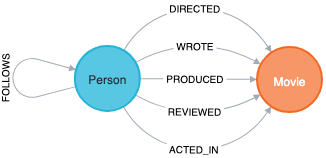
in this, we can see that we have 2 kinds of nodes Person and Movie. for writing a cypher query, a node is written between a parenthesis like this:
(m:Movie)m is the variable we use, and Movie is the type of node the variable is referring to.
relationship
two (or more) nodes can be connected with a certain relationship. in above image, we can see the following relationships: - DIRECTED - WROTE - PRODUCED - REVIEWED - ACTED_IN these all are relationships that connect the corresponding types of nodes.
when writing a cypher query for this, the relationship are put between square brackets, like the following:
w:WORKS_FORwhere w is the variable and WORKS_FOR is the type of relationship the variable is referring to.
also, two nodes can be connected with more than one relationships.
MATCH (p:Person)-(d:Directed)-(m:Movie)
WHERE m.released < 2010
RETURN p,d,m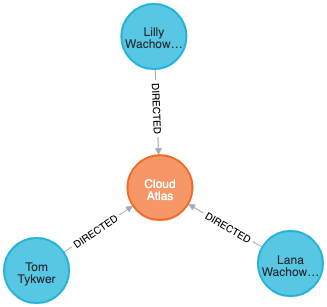
another example: a cypher query to get all the people who acted in a movie that was released after 2010.
MATCH (p:Person)-[r:ACTED_IN]-(m:Movie)
WHERE m.released > 2010
RETURN p,r,m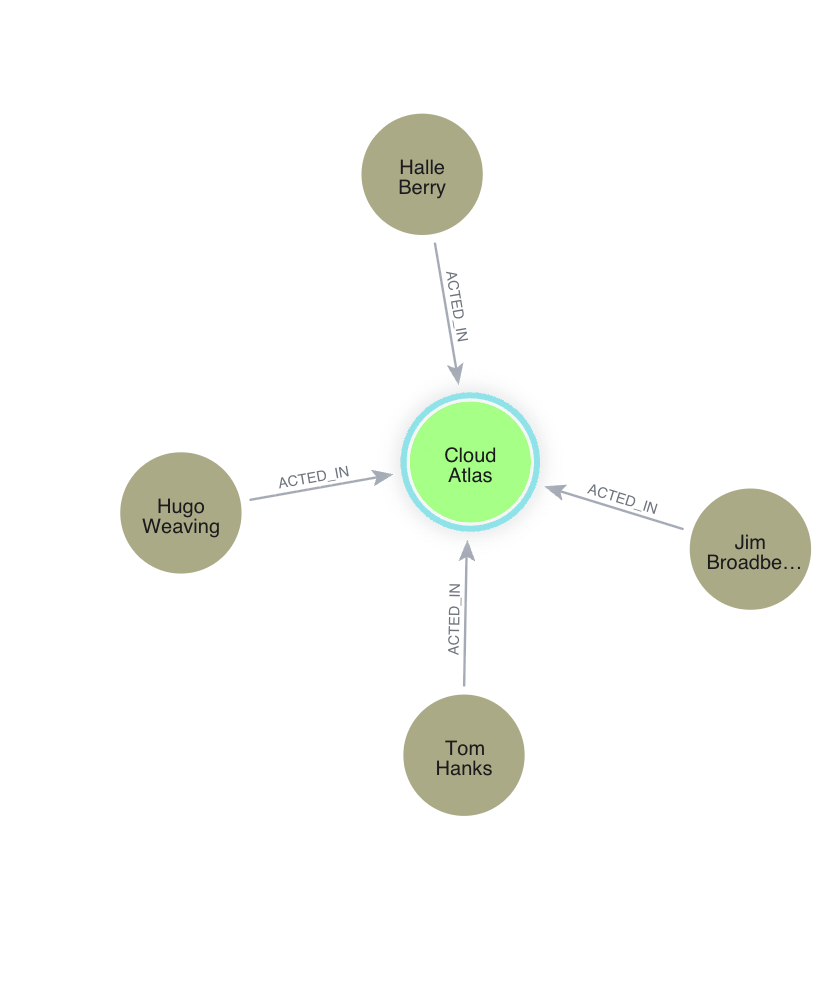
properties
properties are name-value pairs that are used to add attributes to nodes and relationships. to return specific properties of a node, we can write:
MATCH(m:Movie)
RETURN m.title, m.released
these are the properties/attributes of nodes & relationships.
above query will return something like this:
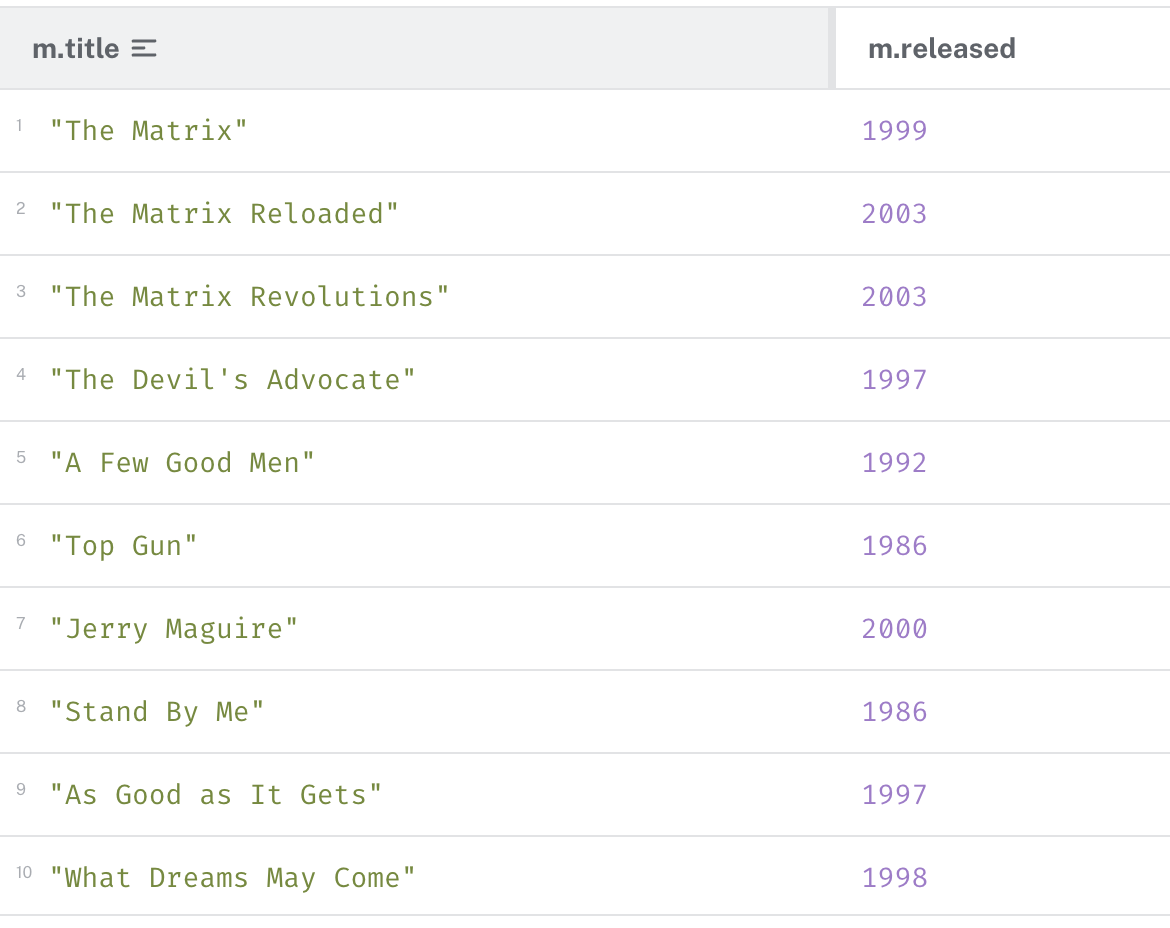
another example: to write a cypher query to return Movie nodes but with only title and released properties.
MATCH (p:Person)
RETURN p.name, p.born
creating a node
the CREATE clause can be used to create a new node or a relationship.
the properties we give such as name: 'John Doe are stored as k-v pairs.
example:
CREATE (p.Person
    {
        name: 'Mohammed Ufraan'
    }
)
RETURN p
finding nodes with match and where clause
the Match clause is used to find nodes that match a particular pattern. this is the main/primary way to get data from the neo4j db.
often, the Match clause is used with certain condition(s) to make result narrow-er.
MATCH (p:Person
    {
    name: 'ufraan1'
    }
)
RETURN p.name
we can also pair this with the WHERE clause that allows more complex filtering such as:
- >
- <
- STARTS WITH
- ENDS WITH
- etc.
more details here - https://neo4j.com/docs/cypher-manual/current/clauses/where/
few more examples:
MATCH(m:Movie {
    title: "Cloud Atlas"
})
RETURN m
get all movies that where released between 2010 and 2015
MATCH(m:Movie)
WHERE m.released > 2010 and m.released < 2015
RETURN m
merge clause
merge clause can be used for primarily two things: 1. match the existing nodes and bind them 2. create new nodes and bind them it can be interpreted as a combination of MATCH and CREATE
MERGE (p:Person {
    name: 'John Doe'
})
ON CREATE SET p.createdAt = timestamp() // sets the value after 'ON CREATE'
ON MATCH SET p.lastLoggedInAt = timestamp() // sets the value after 'ON MATCH'
RETURN p
the above statement will create the Person node if it does not exist.
| scenario 1 | scenario 2 |
|---|---|
if the node already exists, then it will set the property lastLoggedInAt to the current timestamp. |
if the node did not exist and was newly created instead, then it will set the createdAt property to the current timestamp. |
another example:
write a query using MERGE to create a movie node with title “Greyhound”. if the node does not exist then set its released property to 2020 and lastUpdatedAt property to the current time stamp. if the node already exists, then only set lastUpdatedAt to the current time stamp. return the movie node.
MERGE (m:Movie {
    name: 'Greyhound'
})
ON CREATE SET m.released = '2020', m.lastUpdatedAt = timestamp()
ON MERGE SET m.lastUpdatedAt = timestamp()
RETURN m
create a relationship
a relationship just connects two nodes.
- onotology vs knowledge graph
- tools used for ontology and knowledge graph (different)
- refer https://sina.birzeit.edu/
- triplet (Subject–Predicate–Object) ----- Subject → Relationship (Predicate) → Object
- self supervised learning, self attention learning
notes refer jalammar illustrated word2vec
sliding window where first two words are kept as features and the third word is a label. this is done for language model training. as the window lslides against the text, we virtually generate a daataset that we use to train a model. see how words both before and after a specific word carry informational value. and accountring for both directions (words to the left and to the right of the word we are guessing) leads to better word embeddings. skipgram. instead of only looking two words before the targed word (liek above,), we can also look at two words after it. this is called continous bag of words architecture. refer this paper (efficient estimation of word representations in vector space 2013) there is another architecture that showed great results and does things a bit differently. instead of guessing a word based o its context (the words before and after it) this other architecture tries to guess neighbouring words. using current word. skipgram architecture. take 5 words within the window, this would add these samples into our trainign set. where the sentence is: thou shalt not make a where ‘not’ is the word we have as input. so the 2 words before, and 2 words after would be as follows:
| input word | target word |
|---|---|
| not | thou |
| not | shalt |
| not | make |
| not | a |
| then slide window to next position | |
| ‘shalt not make a machine’ (here ‘make’ is in center’)e |
| input word | target word |
|---|---|
| make | shalt |
| make | not |
| make | a |
| make | machine |
refer jalammar github io feedforward neural networks visual interactive read his blogs. watch this youtube video lev konstantinovskiy text siimilaruty with the ntext generation of word embefddings in gensim’ read about softmax read about word embeddings, neural prbablistic language model, efficient estimation of word representations in vector space, distributed representations of words and phrases and their compositionality, read blog posts about word2vec by chris mccormick (he also has an ebook for this named ‘the innter working sof word2vec’) learn about sigmoid neuron
if want to implement word2vec in python (from scratch) steps are as follows: 1. read and clean the corpus: load file, convert to lowercase, remove or normalise puncutation, split into tokens(words) 2. build the vocab: count word frequencies and assign each word an ID. then u can get vocabulary size. 3. create training pairs. skip-gram, CBOW. 4. intiailise embeddings using matrices (input and output) 5. perform forward pass (input word -> embedding lookup -> hidden vector -> scores -> softmax -> predicted probabilities) 6. compute loss: usually using cross entropy 7. backpropagation: compute gradients for w1, w2 8. training for multiple epochs & monitor loss 9. extract word embeddings 10. test similarity